
See what’s left after the bills.
Put in your bills and paychecks once. AfterBills lays out every day until payday, with the balance you’ll have on it.
Free while AfterBills is new. No bank login needed.
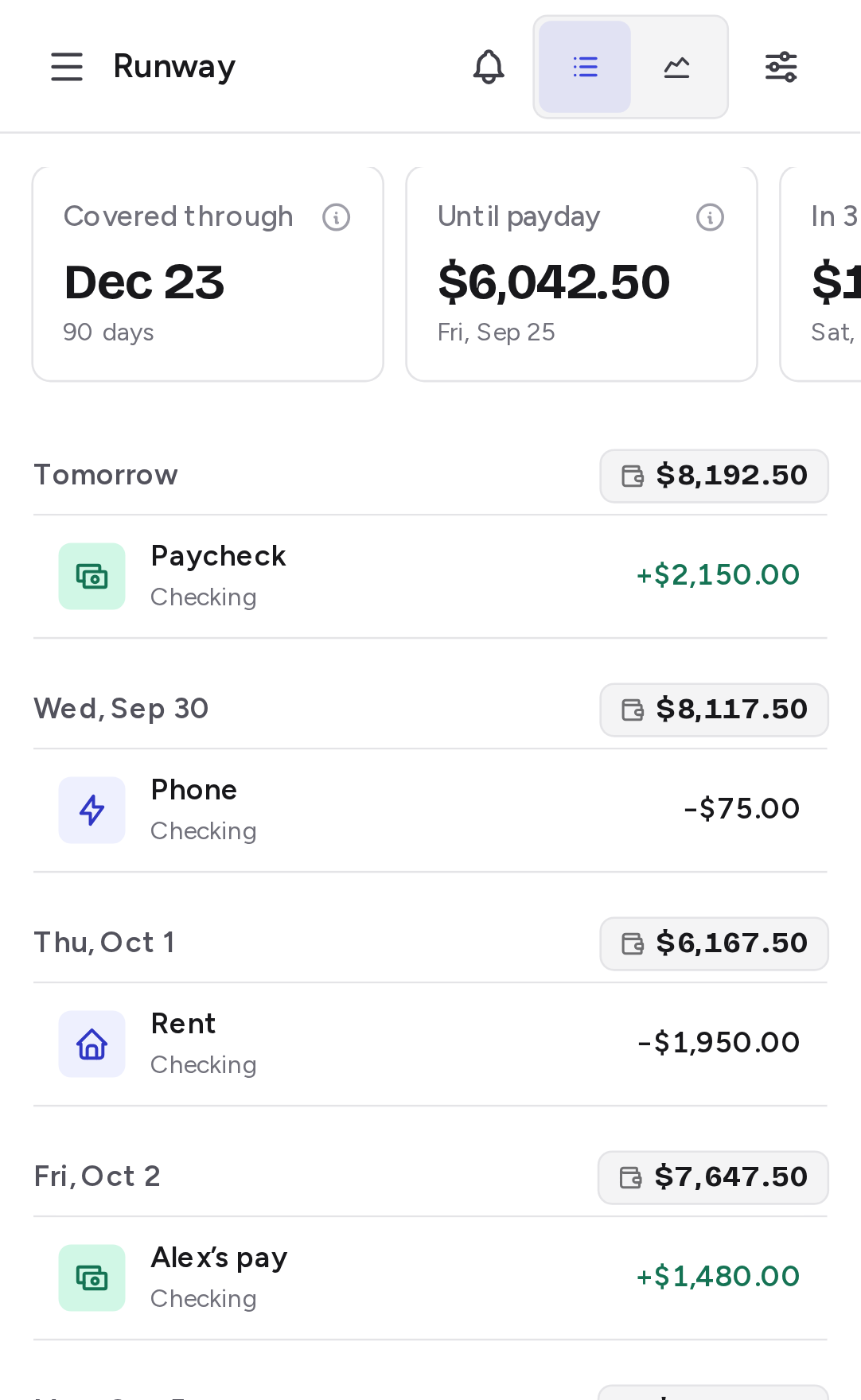

Every day between now and payday, with the balance you’ll have on it.
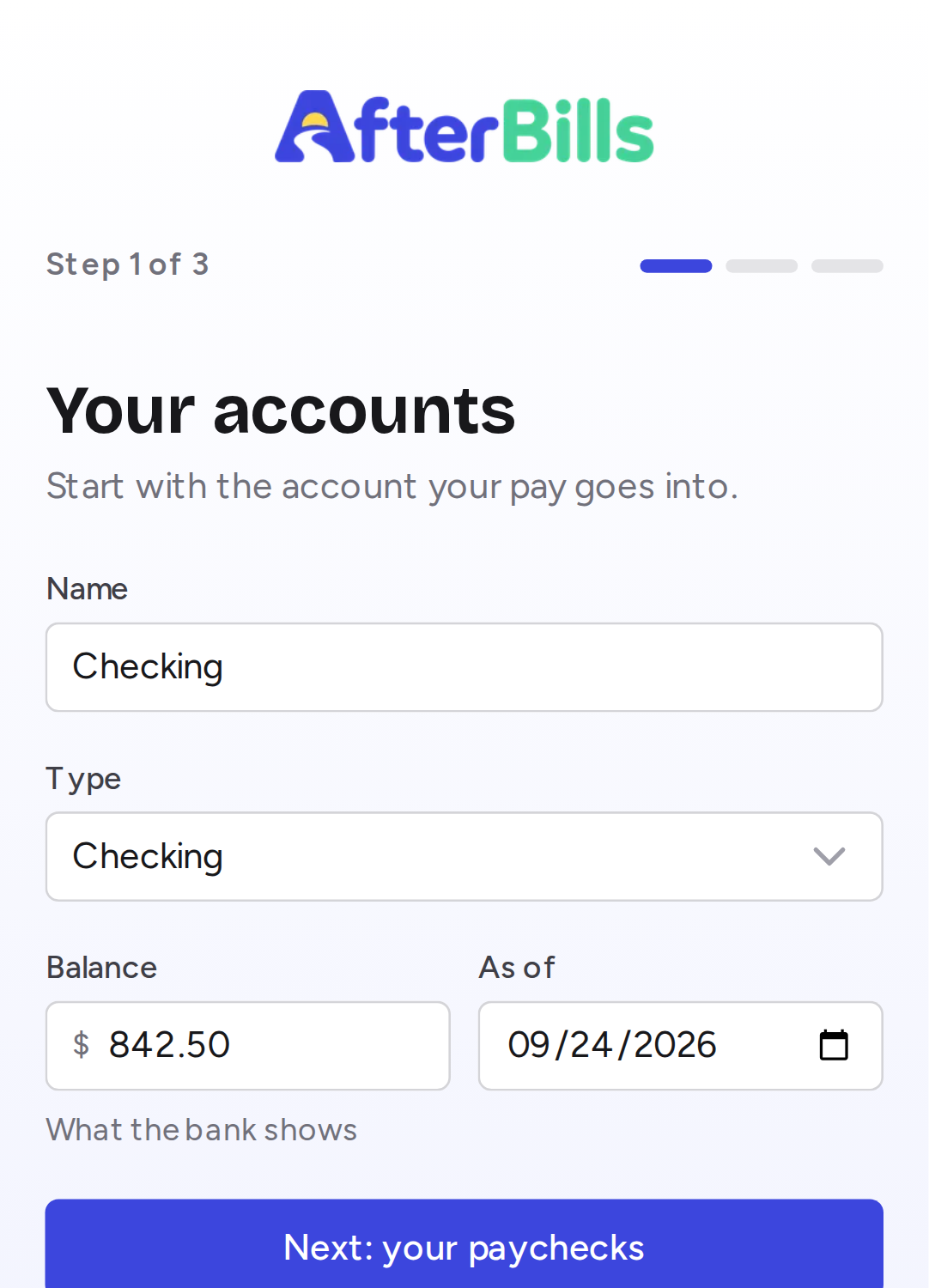
Set up in about five minutes
Add your accounts
Checking and savings, with what the bank shows today. Just the number, so there’s no bank login.
Add your bills and paychecks
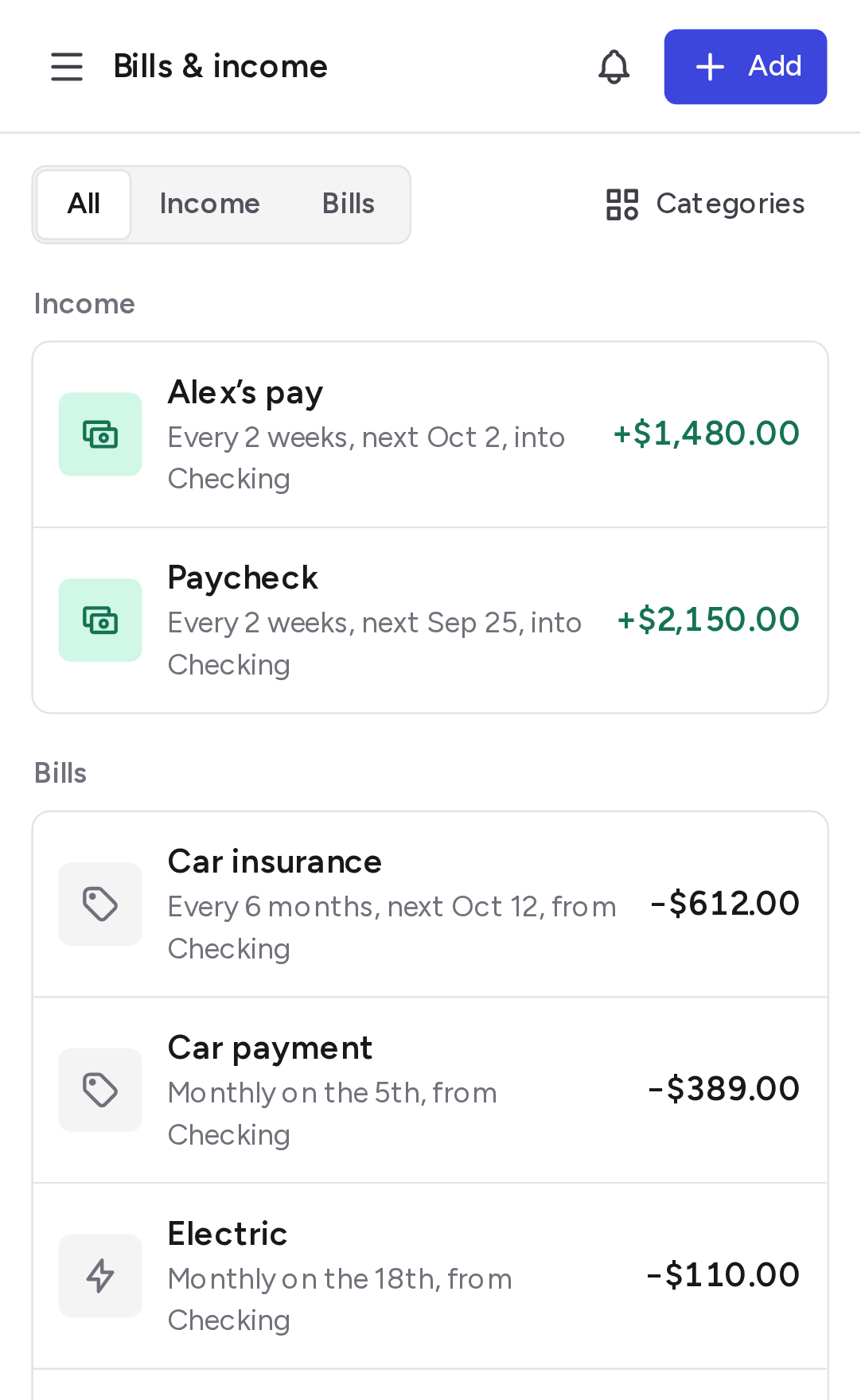
Rent on the 1st, pay every other Friday. Enter each one once and it repeats on its own.
Check your Runway
Every day ahead, with the balance you’ll have after it. A short week shows up while there’s still time to plan for it.
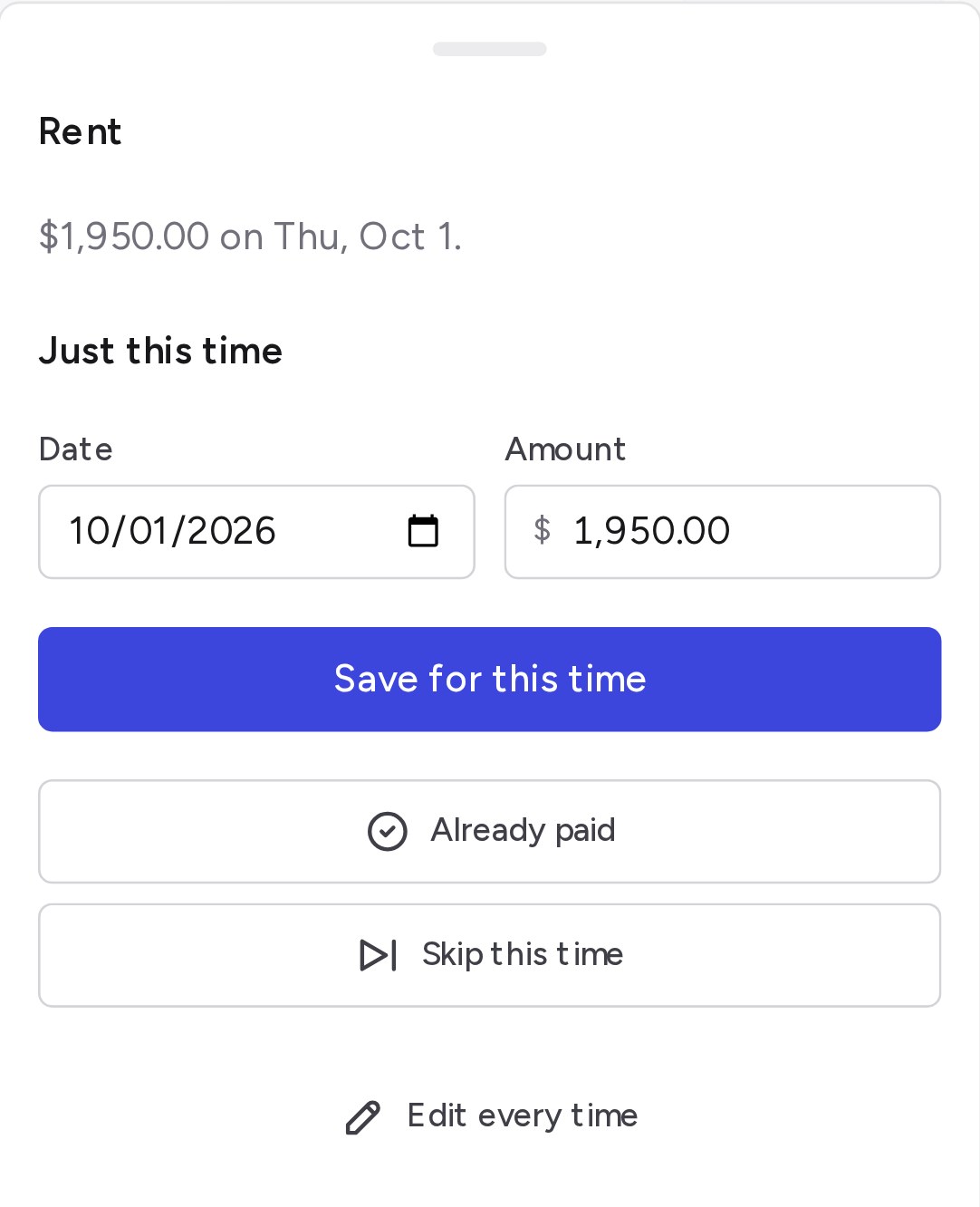
When a bill comes early, or skips a month
Tap it on your Runway. Mark it paid, skip it this once, or change the date or amount just this time. Every other month stays as it was.
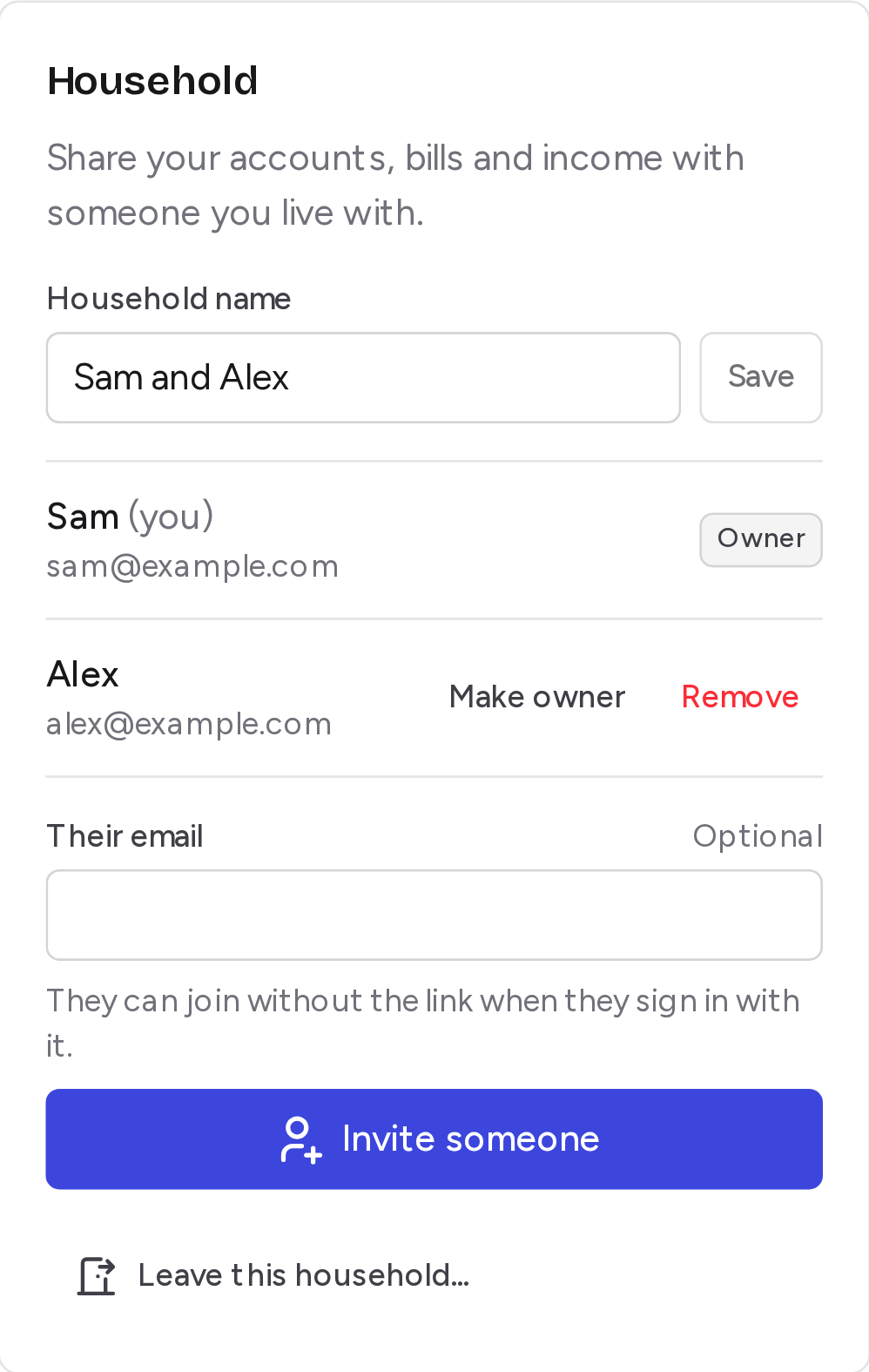
Share it with the person you live with
Invite them by email. You both see the same accounts, bills and Runway, and each item can say whose it is.
The schedules real bills keep
Every 2 weeks, the last day of the month, every 6 months. Pay that changes with your hours. Add it once and AfterBills keeps track.
Also in AfterBills
- A heads-up before you run low
- If your balance is headed below zero, your Runway says so days ahead.
- Snapshots
- The numbers you check most, like what’s left until payday, at the top.
- Budgets that keep count
- Set aside $600 for groceries, log what you spend, and see what’s left of it.
- Net worth
- Add your home, retirement and loans for the bigger picture, kept apart from the day to day.
- Your data goes where you go
- Download everything as a spreadsheet, or bring in the one you already keep.
- Made for your phone
- Add it to your Home Screen and it opens like an app, even without a connection.
AfterBills never moves your money
- It’s a forecast. It can’t pay, transfer or touch a cent.
- No ads, and your information is never sold.
- Download everything, or delete your account, whenever you like.
Free while AfterBills is new
Every feature is free while we test AfterBills with the first people using it. If a paid option comes later, the free app stays complete, and you’ll hear from us before anything changes.
Start freeQuestions
Is AfterBills free?
Yes. Everything is free while AfterBills is new. If a paid option comes later, the free app stays complete, and you’ll hear about it before anything changes.
Does it move my money or connect to my bank?
It never moves money. It only shows what you expect to happen. You type in your balance, so there’s no bank login.
What if I pay a bill early?
Tap it on your Runway and choose Already paid. It stops counting, and the balances after it update.
What if my balance doesn’t match my bank?
Tap Update balance and type what your bank shows. Your Runway starts again from there.
Can I share it with my partner?
Yes. Invite them by email or send them a link, and you’ll both see the same accounts, bills and Runway.
Is there a phone app?
AfterBills works in your phone’s browser. Add it to your Home Screen and it opens like an app, and shows what you last saw even without a connection.
Is my information safe?
It’s used only to show your Runway. No ads, and it’s never sold. You can download everything or delete your account whenever you like.
More answers in Help.
Write to us
A question, an idea, or something that isn’t working. It comes straight to the person who builds AfterBills.
Trouble signing in? Tell us the email you use for AfterBills. Never send a password.